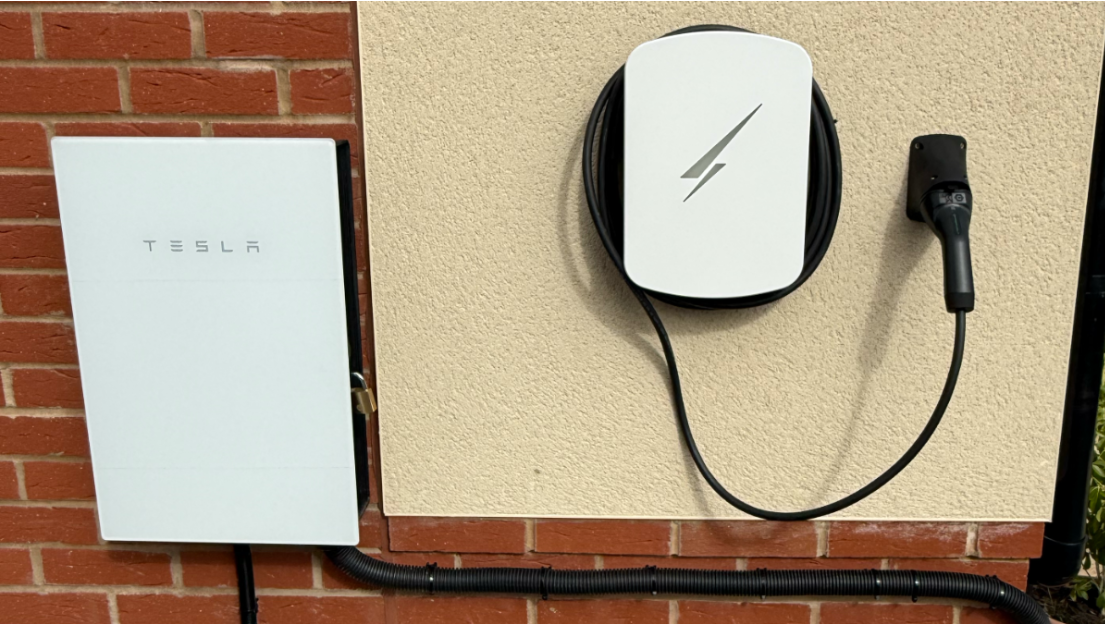
When we moved into our new-build home in March 2025, a Pod Point charger was already installed on the garage wall.
At first, that felt like a useful bonus. One year later, repeated connectivity problems and failed overnight charges led us to replace it with a Hypervolt Pro 3.
This Pod Point vs Hypervolt comparison is not a claim that every charger behaves the same way. It is a record of the specific problems we experienced, the support steps that did not resolve them and why the Hypervolt better suited our connected-home setup.
July 2026 update: the Hypervolt is now used with EDF Smart Charging rather than Intelligent Octopus Go. The supplier has changed, but the reasons for choosing a reliable, connected and tariff-compatible charger remain the same.
Pod Point vs Hypervolt Pro 3: the short version
| Pod Point experience | Hypervolt Pro 3 experience |
|---|---|
| Regular cloud-connection failures | Stable Ethernet connection |
| App sometimes unable to reach charger | Responsive app and local network connection |
| Several missed overnight charges | Reliable scheduled charging in our use |
| Not suitable for our original smart tariff setup | Worked with Intelligent Octopus Go and now EDF Smart Charging |
| Limited usefulness in Home Assistant | Useful monitoring and control through Home Assistant |
What went wrong with the Pod Point
The main problem was connectivity.
The app regularly displayed an “unable to connect” message. Restoring control often meant going to the consumer unit, switching the charger off and turning it back on again.
That was inconvenient, but the more serious consequence was missed charging.
We would plug a car in, schedule it for the cheap overnight window and occasionally wake to find it had not charged. When the vehicle is needed the following morning, that is more than an app annoyance.
What support tried
We contacted Pod Point support several times.
Their checks showed that the charger had strong Wi-Fi coverage, which made sense because the router was on the other side of the wall. Further investigation suggested that the charger was losing its connection to Pod Point’s servers rather than losing the local wireless signal.
An engineer replaced the circuit board inside the unit. We were told the issue was resolved, but the same behaviour returned within a week.
At that point we had spent enough time restarting the charger and testing unsuccessful fixes.
Tariff compatibility also mattered
Our Peugeot e-308 and e-208 could not communicate directly with Intelligent Octopus Go, which was the smart tariff we used at the time.
A compatible charger could provide that connection instead, allowing the supplier to schedule the charging session. The Pod Point model installed at our home did not support the arrangement we needed.
That created two separate reasons to change:
- the charger was not consistently reliable
- it did not fit the smart-tariff strategy we wanted to use
We have since moved to EDF, and the Hypervolt now works with EDF Smart Charging. The broader lesson is to check compatibility with the tariff you actually plan to use, rather than assuming any smart charger will work with every smart tariff. Our current tariff reasoning is covered in Why we moved from Octopus to EDF.
Why we chose the Hypervolt Pro 3 over Pod Point
Our requirements were straightforward:
- reliable everyday charging
- compatibility with supplier-managed smart charging
- Home Assistant integration
- a tethered cable
- a design that looked appropriate beside the Powerwall
- Ethernet connectivity rather than relying entirely on Wi-Fi
The Ethernet option was particularly important after the Pod Point experience. A physical network connection removed one significant source of uncertainty.
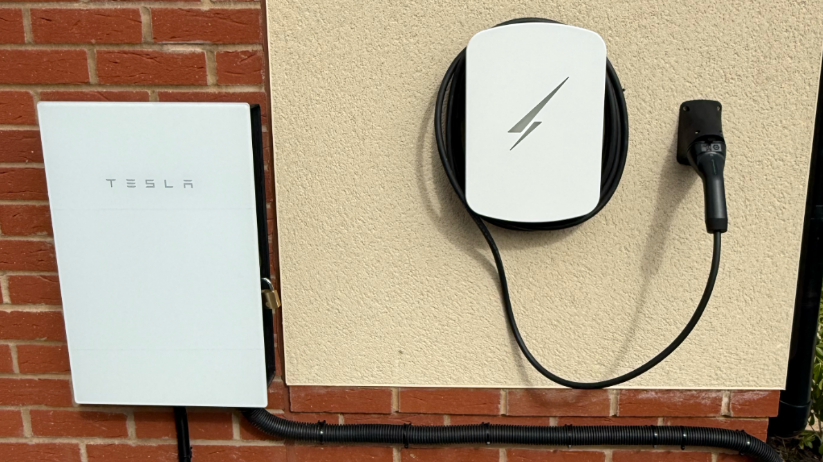
The white Hypervolt also sits neatly beside the Tesla equipment rather than looking like an unrelated box added later.
Installation
A local installer fitted the Hypervolt Pro 3 on 12 March 2026.
The existing electrical cabling could be reused. An Ethernet cable was run from the router, through the wall and into the rear of the charger. The work was completed in a few hours.
Anyone replacing a charger should have the existing circuit, protective devices, cable capacity and installation requirements assessed by a qualified installer rather than assuming a direct swap is always possible.
Hypervolt Pro 3 and Home Assistant integration
Initial setup was straightforward. The Hypervolt connected first time and the app was clearer and more responsive than the experience we had been living with.
The first scheduled charges completed successfully. In our setup, the Hypervolt also appeared in Home Assistant with useful status and control information, allowing charging to be viewed beside:
- solar generation
- Powerwall charge level
- household demand
- import and export
- tariff periods
That shared view is genuinely useful in a home where the car, battery and solar system can all compete for several kilowatts at once.
The integration is most valuable when it helps answer practical questions: whether the car is actually charging, how much power it is drawing and what the battery and grid are doing at the same time. It also provides the data needed for carefully tested automations, rather than making the charger useful only through its own app.
Why Ethernet was worth running
Good Wi-Fi coverage does not guarantee that a cloud-connected charger will remain dependable, as our Pod Point demonstrated.
Ethernet does not eliminate every possible fault. The manufacturer’s cloud service, supplier platform, app and vehicle can still cause problems. It does remove the local wireless connection from the list of likely causes.
For a fixed device mounted close enough to run a cable, I would choose Ethernet again.
What to check before choosing a charger
Smart-tariff compatibility
Check both the car and the charger against the supplier’s current compatibility information. A tariff may be able to control one or the other, but support can change.
Network connection
Look at where the charger will be installed and whether Ethernet is practical. If Wi-Fi is the only option, check the signal at the actual exterior mounting position rather than inside the nearest room.
Home Assistant integration and data access
A useful integration can make charging status, power draw and controls available alongside the rest of the home. This is valuable for monitoring and for carefully designed automations. Check what is genuinely exposed in your own setup rather than assuming every charger, account or software version will provide the same entities.
Tethered or untethered cable
We prefer a tethered charger because the cable is always present. An untethered unit can look tidier when not in use and may offer more flexibility. This is a practical preference rather than a universal answer.
Appearance
A charger remains attached to the house for years. Aesthetics should not outweigh safety or reliability, but it is reasonable to include them in the decision.
How it fits with the Powerwall
A 7kW-class EV charging session is large enough to drain a home battery quickly if the energy system treats it as normal household demand.
That led to our first Home Assistant Powerwall-protection automation, originally built around Intelligent Octopus Go. The tariff-specific triggers now need updating for EDF, but the underlying objective remains important: prevent the Powerwall from unintentionally emptying itself into the car during a supplier-managed cheap charging session.
Our six-month solar and Powerwall data shows why that coordination matters in practice. EV charging, battery storage, household demand and export can all move large amounts of electricity at different times of day.
The charger, Powerwall, solar array and current tariff are all documented on Our Setup.
Would we make the change again?
Yes.
The Pod Point had already received a support visit and replacement internal hardware without resolving the behaviour we experienced. Continuing to rely on it would have meant accepting missed charges and repeatedly restarting equipment.
The Hypervolt gave us the network connection, supplier compatibility, monitoring and physical design we wanted.
The standard we now expect from a home charger is simple: plug the car in, let the schedule run and find it charged when it is needed. That should not feel remarkable, but after the previous experience, it made the replacement worthwhile.